
Binance Ki Bunyad
Binance par account kaise banayen? Register ke steps aur referral code sirf ek baar kyun lagta hai
Binance par register karte waqt teen cheezein baad mein badli nahi ja saktin: account ka type, link ho chuka referral code, aur 30 minute walay verification code ki muddat. Yahan website par registration ke paanch steps official help page ke mutabiq hain, sath 17 October 2026 ke screenshots aur account banne ke baad fauran karne wale teen security kaam.
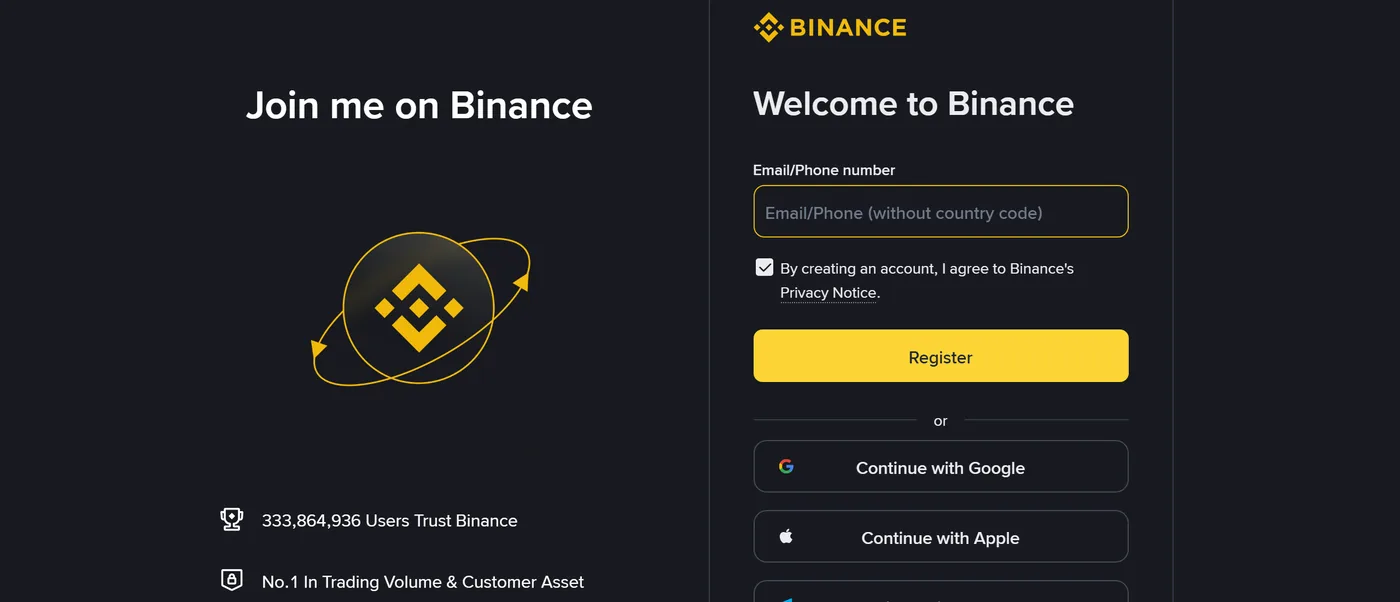
Pehli baar Binance account banate waqt log button dhoondne par nahi atakte — wo cheezein masla banti hain jo ek baar set hone ke baad badli nahi ja saktin: account ka type register hone ke baad tabdeel nahi hota, referral code account se link hone ke baad modify nahi hota, aur verification code sirf 30 minute tak chalta hai. Is guide mein website par registration ka pura process step by step hai, har step Binance ke official help page ke alfaz ke mutabiq, aur aakhir mein wo teen settings jo account banne wale din hi mukammal karni chahiyen.
Steps aur rules Binance ke help page "How to Register on the Binance Website?" se liye gaye hain (English version, page par Published on 2022-07-05 aur Updated on 2025-11-23 likha hai). Screenshots 17 October 2026 ko khud registration page aur help page khol kar liye gaye; kisi account mein login nahi kiya gaya, is liye screen par koi zaati maloomat nahi hai.
Register karne se pehle teen cheezein tayyar rakhen
Aisa email ya phone number jis par abhi code mil sake. Binance 6 digit ka verification code bhejta hai aur official page kehta hai: "Enter the code within 30 minutes." Agar aap ka purana email hai jo ab khulta nahi, ya number roaming par hai, to pehle wo badal lein.
Rules ke mutabiq password. Official page ke mutabiq password mein kam az kam 8 characters hon, jin mein kam az kam ek capital letter aur ek number zaroori hai. Registration page par password box ke neeche yehi teen sharten live check hoti rehti hain.
Personal account chahiye ya entity account, yeh pehle tay karen. Help page step 1 ke neeche surkh (red) alfaz mein likha hai: "Once registered, you cannot change the account type." Aam user ke liye personal account hi theek hai; entity (company) account ka process aur documents alag hain, aur baad mein ek se doosre mein badla nahi ja sakta.
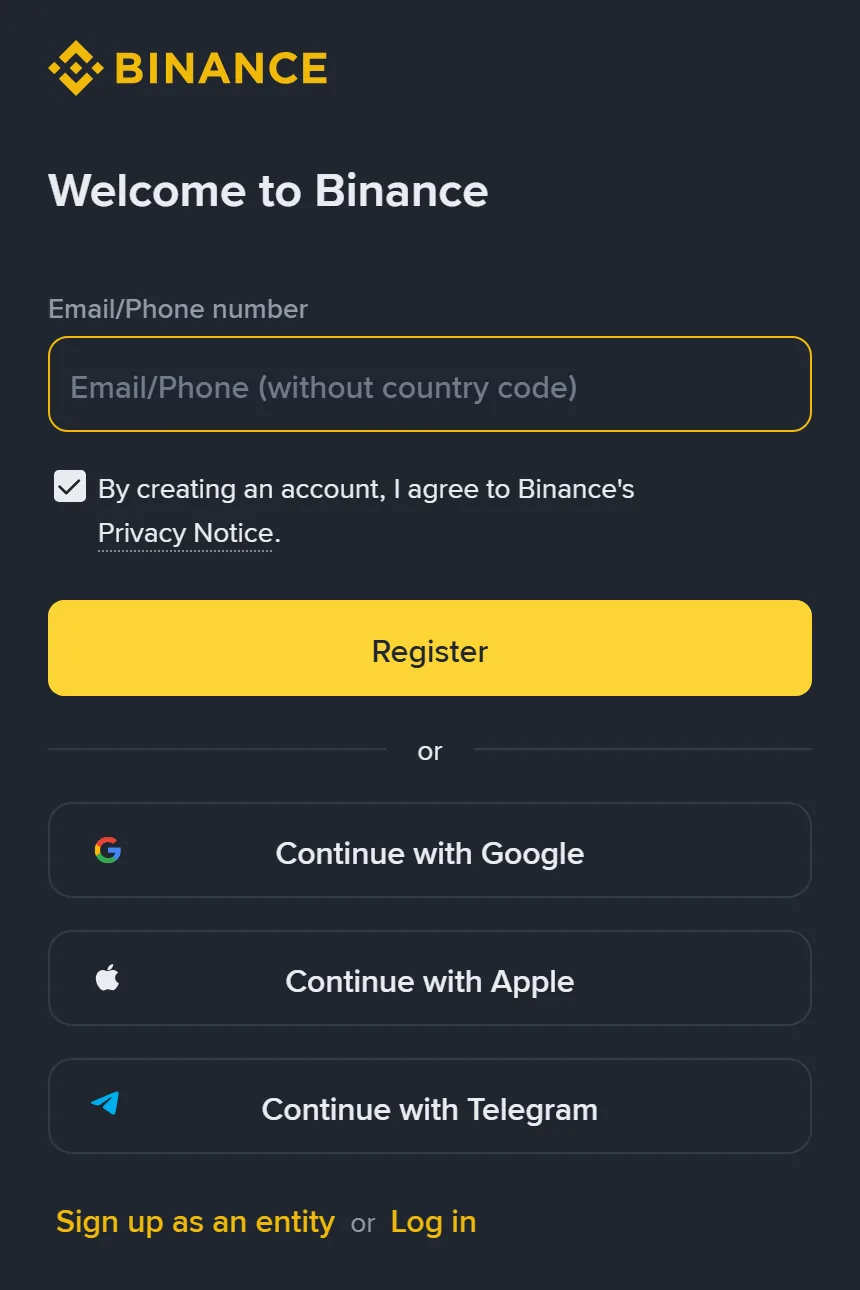
Binance registration page (17 October 2026 ka screenshot, login kiye baghair). Chaar tareeqe mojood hain: email/phone, Google, Apple aur Telegram.
Email ya phone number se register karne ke paanch step
Official page website par personal account ke process ko paanch steps mein taqseem karta hai, aur asli screen bhi isi tarteeb se chalti hai:
- Binance ki official website par apna email address ya phone number likh kar [Sign Up] par click karen. Apple ya Google se banana ho to neeche diye gaye icons par click karen.
- Aap ka email/phone khud ba khud fill ho jata hai. Terms of Service aur Privacy Policy parh kar box tick karen aur [Next] dabayen.
- Email ya SMS par aaya hua 6 digit code 30 minute ke andar daal kar [Submit] karen.
- Password banayen (kam az kam 8 characters, ek capital letter aur ek number), phir [Next].
- Account ban gaya — iske baad referral code aur identity verification ka marhala aata hai.
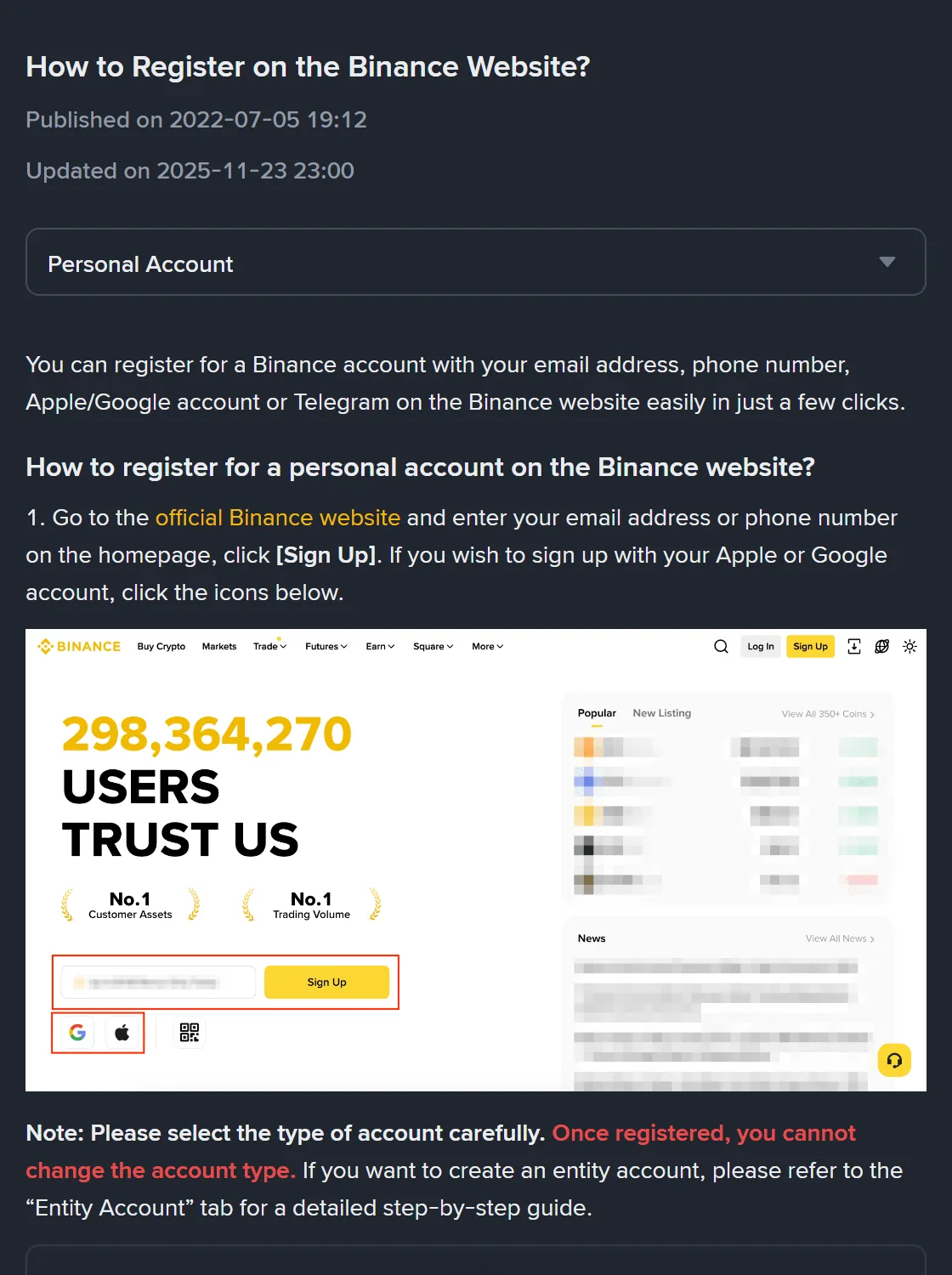
Binance ka official help page (17 October 2026 ka screenshot). Page par Updated on 2025-11-23 likha hai, aur account type na badalne wali tanbeeh step 1 ke theek neeche hai.
Google, Apple ya Telegram se banane mein kya farq hai
In teeno tareeqon mein sirf "password set karna" wala step nahi aata, baqi process wohi rehta hai. [Continue with Apple] ya [Continue with Google] dabane par ek pop-up khulta hai jahan us account se sign in karna hota hai; terms manzoor karne ke baad screen wapas Binance par aa jati hai. Telegram ke liye pop-up mein [Link] dabayen, Telegram mein login karen, Telegram par aaye notification mein [Confirm] karen — iske baad bhi email ya phone number dena aur ek code verify karna parta hai.
Yaad rahe: teesre fareeq (third party) ke account se register karne ka matlab hai ke aap ka Binance login us Apple, Google ya Telegram account se bandh gaya. Us account ki security — uska apna two-factor verification, phone gum hone ki soorat-e-haal — seedha aap ke Binance account par asar daalti hai. Is liye wohi account chunen jis ki hifazat aap khud achhi tarah karte hain.
Referral code: khud fill hota hai, green tick aata hai, aur baad mein badalta nahi
Account banne ke baad "Set up your account" wali screen aati hai jis mein Referral ID (Optional) ka khaana hota hai. Official page saaf likhta hai: agar aap referral link se aaye hain to code khud fill ho jata hai aur uske saath green tick ke sath [Linked] nazar aata hai; code ghalat ho to usay edit kar ke doosra daala ja sakta hai. Sab se ahem jumla surkh rang mein hai: "Please note that once a referral code is linked to your account, it cannot be modified."
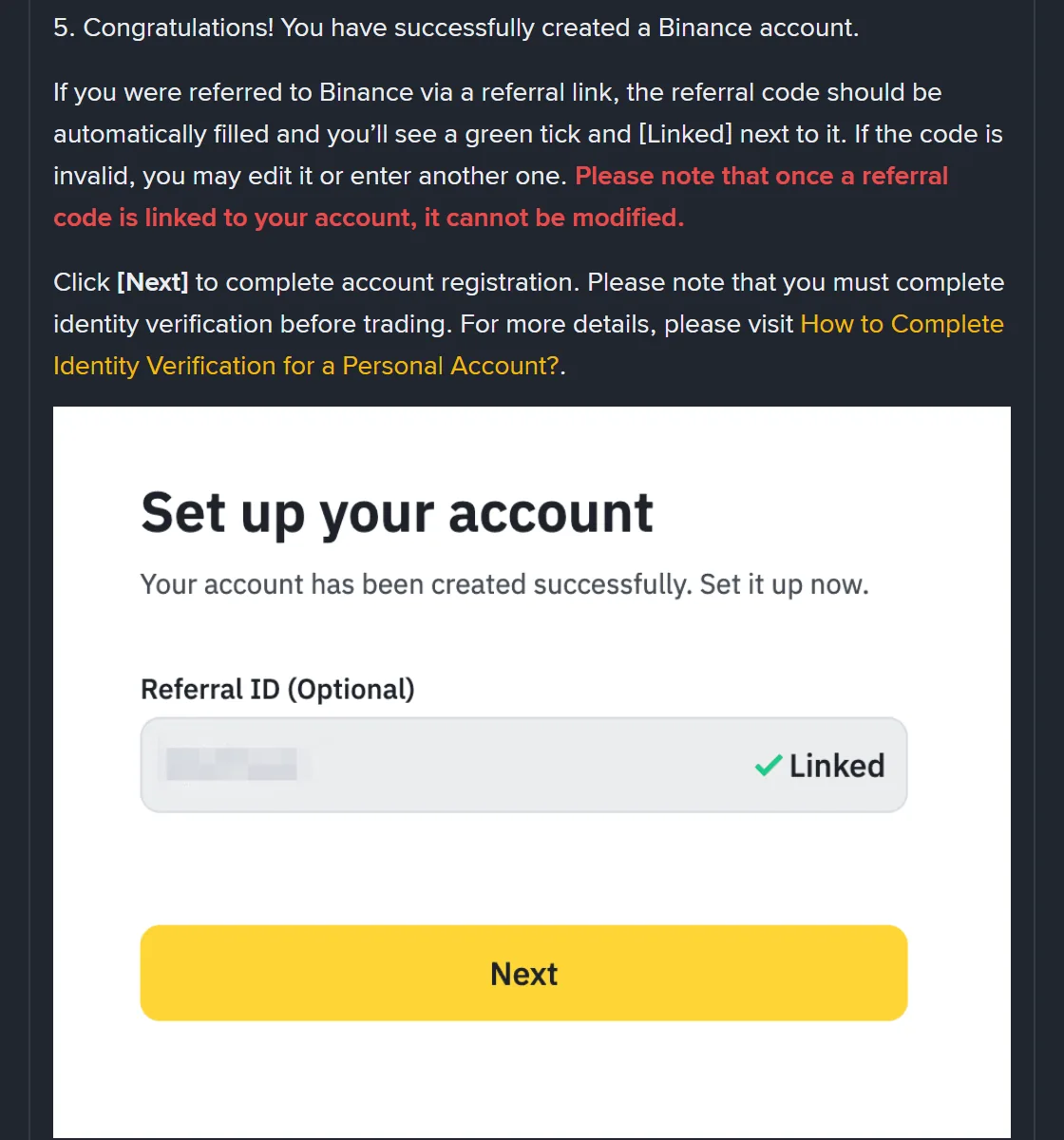
Referral code ka khaana aur "Linked" halat (Binance ke official help page se, 17 October 2026 ka screenshot). Khaane ke andar ka code Binance ne khud blur kiya hua hai.
Is liye yeh faisla usi waqt kar lein. Agar aap is site ka referral code istemaal karna chahte hain to is step par BN6321 daal sakte hain. Lekin yeh zaroor samajh lein: fee wapsi ki shakal, uska percentage aur ahliyat sab Binance tay karta hai aur yeh ilaqe aur chal rahi offer ke sath badalta rehta hai — 17 October 2026 ko official referral page kholne par fee rebate vouchers wali offer dikh rahi thi, koi mustaqil percentage nahi. Code daalne se pehle wohi dekhen jo us waqt official page par likha ho; jo shakhs "guaranteed itne %" ka wada kare, us par bharosa na karen.
Account banne ke baad usi din yeh teen kaam karen
Ek: identity verification mukammal karen. Official page registration ke aakhir mein hi kehta hai: "you must complete identity verification before trading." Verification ke mukhtalif levels hain aur har level ki limits alag hain; kaun se documents chahiyen, yeh Verified aur Verified Plus mein kya kya tayyar karna parta hai mein tafseel se likha hai.
Do: kam az kam ek two-factor verification chalu karen. Official page bold mein likhta hai: "we highly recommend enabling at least 1 two-factor authentication (2FA)". Agar aap ka phone ya computer support karta hai to passkey SMS se zyada mazboot option hai; tareeqa passkey set karne aur backup rakhne ka tareeqa mein mojood hai.
Teen: anti-phishing code set karen. Yeh wo tareeqa hai jis se pata chalta hai ke kaun sa email waqai Binance ka hai. Naya account banate hi jaali emails sab se zyada aate hain, is liye anti-phishing code set karna aur asli email pehchanna pehle din hi kar lein.
Registration ke do aam masle
Verification code nahi aa raha. Pehle email ka spam aur promotions folder dekhen; phone par marketing SMS block karne wali setting check karen. Code 30 minute tak chalta hai, iske baad naya mangwana parta hai. Poori tarteeb, including doosra verification tareeqa istemaal karna, code na milne par kya karna hai mein likhi hai.
Lagta hai ghalat account type chun liya. Registration page par [Sign up as an entity] ek alag link hai, aam user se ghalti se nahi dabta; lekin agar aap ne company ka email daala aur screen par company ka naam maanga ja raha hai, to aap entity account ke raste par hain. Us waqt ruk kar registration page se dobara shuru karna behtar hai, kyunki banne ke baad type badla nahi ja sakta.
Aksar poochhe jane wale sawal
Kya register karne ke liye phone number zaroori hai?
Nahi. Official page ke mutabiq register karne ke tareeqon mein email address, phone number aur Apple, Google ya Telegram account shamil hain — koi ek kaafi hai.
Kya referral code baad mein daala ja sakta hai?
Binance referral code ka khaana account banne ke baad wali setup screen par rakhta hai aur usay optional likhta hai; lekin sath hi yeh bhi likha hai ke account se link hone ke baad usay modify nahi kiya ja sakta. Is liye jo code istemaal karna ho, wohi usi screen par daalen.
Kya register karte hi crypto khareedi ja sakti hai?
Nahi. Official process registration ke aakhiri step mein saaf kehta hai ke trading se pehle identity verification mukammal karna zaroori hai, to agla qadam documents tayyar karna hai, paise bhejna nahi.
Is maqale ki buniyad
- Binance, "How to Register on the Binance Website?" (English, page par Published on 2022-07-05 aur Updated on 2025-11-23; 17 October 2026 ko dekha gaya): official help page
- Binance, "How to Register on the Binance App?" (English; 17 October 2026 ko dekha gaya): app wala help page
- Binance ka registration page, asli screen (17 October 2026 ka screenshot, login kiye baghair): Binance registration page
Yeh ek azad (independent) learning site hai, Binance ki official support nahi. Screen aur rules wohi maanen jo aap ko apne istemaal ke waqt Binance ke page par nazar aayen.