
Funds Jama Aur Nikalna
Binance Withdrawal Pending Aur TxID Check
Binance crypto withdrawal pending ho to pehle TXID check karein. TXID na ho to Binance processing dekhein; TXID mil jaye to blockchain explorer aur receiving platform ka status verify karein.
Binance withdrawal pending ho to sab se pehle doosri withdrawal submit na karein. Original withdrawal record khol kar dekhein ke TxID (transaction ID) nazar aa raha hai ya nahin. Isi check se pata chalta hai ke request abhi Binance ke processing stage mein hai, blockchain par broadcast ho chuki hai, ya receiving platform ko credit karna baqi hai.
Yeh guide sirf crypto ki on-chain withdrawal ke liye hai. P2P order, fiat cash-out aur do Binance accounts ke darmiyan internal transfer ka flow mukhtalif ho sakta hai. Agar aap ne abhi withdrawal submit nahin ki, pehle Binance se safe withdrawal ki checklist se coin, network, address aur Memo/Tag check karein.
Pehle withdrawal record se yeh maloomat save karein
Binance app ya website mein usi withdrawal ka record kholein. Menu aur status ke alfaaz region ya app version ke mutabiq badal sakte hain, lekin yeh details note karna zaroori hai:
- coin aur amount;
- selected blockchain network;
- submission ka waqt aur current status;
- receiving address aur Memo/Tag, agar required tha;
- TxID ya transaction hash, agar show ho raha ho;
- koi error, maintenance notice ya estimated processing time.
Public group mein UID, email, poora wallet balance, verification code ya support ticket ka private link share na karein. Record ka screenshot official support ko dena ho to sirf unke ticket flow mein upload karein.
TxID kya batata hai?
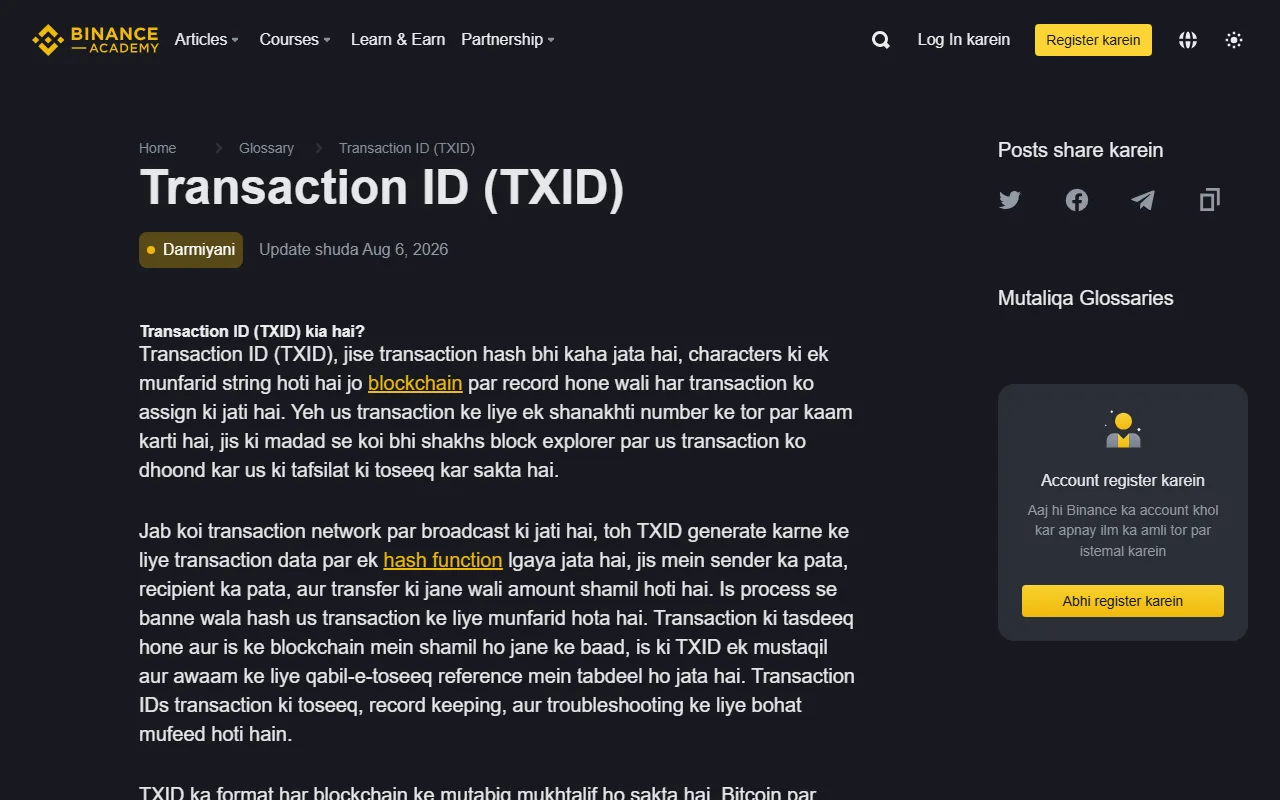
TxID blockchain transaction ki munfarid pehchan hoti hai. Binance Academy ke mutabiq centralized exchange se crypto withdraw hone ke baad TxID Transaction History mein milta hai. Us par click karke ya usay copy karke us network ke block explorer mein transaction ka status, addresses, amount aur confirmations dekhe ja sakte hain.
Tasveer: Binance Academy ka official Roman Urdu TXID glossary page, 16 August 2026 ko li gayi asli webpage screenshot.
TxID nahin mila: request abhi Binance ke andar ho sakti hai
Pending ya Processing aam tor par is baat ki nishani hoti hai ke withdrawal request receive ho gayi hai, magar internal security check, queue ya network broadcast abhi mukammal nahin hua. TxID ke baghair blockchain explorer par reliable transaction dhoondhna mumkin nahin hota.
Is surat mein yeh karein:
- Usi withdrawal record ka status dobara dekhein; nayi withdrawal na banayein.
- Screen par extra verification, security hold, network maintenance ya withdrawal suspension ka notice check karein.
- Coin aur selected network ki withdrawal availability Binance ke current page par verify karein.
- Agar record mein diya gaya estimated time guzar jaye, transaction details ke saath official Binance Support se rabta karein.
Har pending withdrawal ke liye ek fixed waiting time batana theek nahin. Account security review, asset aur network ki halat processing ko badal sakti hai. Apne record par dikhne wala time aur official notice follow karein.
TxID mil gaya: ab sahi blockchain explorer dekhein
TxID ka matlab hai ke transaction blockchain par broadcast ho chuki hai. Pehle record se network ka naam confirm karein, phir usi network ka explorer kholein. TRON transaction ko Ethereum explorer mein ya BNB Smart Chain transaction ko Bitcoin explorer mein search karne se sahi result nahin milega. Network samajhne mein mushkil ho to coin, address aur network match karne wali guide dekhein.
Explorer ka result is tarah samjhein:
| Explorer status | Is ka matlab | Agla qadam |
|---|---|---|
| Pending | Transaction broadcast ho gayi, confirmations abhi poori nahin | Network ko process karne dein; withdrawal repeat na karein |
| Success ya Confirmed | On-chain transfer kamyab hai | Receiving platform ke required confirmations aur credit rules check karein |
| Failed | Blockchain par transaction kamyab nahin hui | TxID aur error save karke Binance withdrawal record aur official support check karein |
| Not found | Ghalat explorer, incomplete TxID ya indexing delay ho sakta hai | Network aur poora TxID dobara verify karein; phir official support se poochein |
Block explorer public ledger dikhata hai, magar woh funds move ya reverse nahin karta. Kisi website ko TxID dekhne ke liye seed phrase, password ya 2FA code ki zaroorat nahin hoti.
Binance Completed dikhaye, magar receiving wallet mein balance na aaye
Completed ka matlab aksar yeh hota hai ke Binance ne on-chain transaction process kar di. Receiving exchange apne account balance mein credit dene se pehle zyada confirmations, minimum deposit amount ya Memo/Tag check kar sakta hai.
Yeh points verify karein:
- explorer mein transaction Success ya Confirmed hai;
- receiving address record wale address se match karta hai;
- coin aur token contract receiving platform support karta hai;
- Memo/Tag required tha to sahi enter hua;
- received amount platform ke minimum deposit se kam nahin;
- receiving platform ke required confirmations poore ho chuke hain.
Chain par success ho aur destination kisi doosre exchange ka address ho, to receiving platform ko coin, network, amount, waqt aur TxID dein. Binance ko wahi transaction dobara bhejne ki zaroorat nahin. Agar destination self-custody wallet hai, wallet ko sahi network par switch karke supported token list check karein; balance dikhane ke naam par seed phrase kisi ko na dein.
Status Failed, Rejected ya Canceled ho
Withdrawal record mein diya gaya reason pehle parhein, phir available balance check karein. Address format, missing Memo/Tag, network suspension ya incomplete security verification request ko rok sakte hain, lekin asal reason wahi hai jo account record dikhata hai.
Balance wapas aa jaye to network aur input dobara verify karne ke baad hi new withdrawal sochain. Balance restore na ho, reason clear na ho ya error repeat ho to official support ko record bhejein. Andaza laga kar baar baar submit karna masla uljha sakta hai.
Address, network ya Memo/Tag ghalat ho gaya ho
On-chain withdrawal aam tor par reverse nahin hoti. Recovery destination address ke control, wallet ki network support aur receiving platform ke recovery process par depend karti hai; koi bhi recovery guarantee nahin kar sakta.
- Apna wallet ho to actual network aur token support check karein. Seed phrase ko random recovery website mein import na karein.
- Doosra exchange ho to TxID, network, address, amount aur Memo/Tag ke saath us exchange ke official support se rabta karein.
- Unknown address ho to kisi ko “unlock fee” ya “verification payment” na bhejein. Records save karke official support use karein.
Isi stage par recovery scam ka risk zyada hota hai. Jo shakhs guaranteed recovery ka wada kare, pehle payment maange, remote-control app install karwaye ya 2FA/seed phrase maange, us se baat band kar dein. Crypto phishing aur fake support ki checklist se message aur link dobara check karein.
Support ticket se pehle evidence checklist
Ek jagah yeh details jama kar lein:
- withdrawal ki date aur time;
- coin, amount aur network;
- current status aur visible error;
- TxID, agar generate ho chuka hai;
- destination address aur Memo/Tag;
- block explorer ka result;
- receiving platform ka deposit record ya missing-credit notice.
Public screenshot mein UID, naam, email, poora balance, verification code aur private ticket URL chhupa dein. Official ticket ki jo requirements hon, sirf unhi ke mutabiq data dein. Social media par khud ko support batane wale account ko details na bhejein.
5 minute ka decision flow
- Confirm karein ke yeh on-chain crypto withdrawal hai.
- Original record se coin, network, address, time aur status save karein.
- TxID nahin hai to Binance ke notices, security check aur official support dekhein.
- TxID hai to sahi network ke explorer mein Pending, Success ya Failed status check karein.
- Chain par success hai lekin credit nahin mila to Memo/Tag, minimum amount aur receiving platform ki confirmations verify karein.
- Input ghalat nikle to doosri transfer rok dein aur sirf official recovery/support flow use karein.
Seedha rule yaad rakhein: TxID nahin to Binance side check karein; TxID mil jaye to blockchain check karein; blockchain success ho magar balance na aaye to receiving side check karein.
Aam sawalat
TxID nahin hai — kya withdrawal fail ho gaya?
Zaroori nahin. TxID na hone ka matlab aam tor par yeh hai ke transaction abhi platform side par process ho raha hai aur blockchain par broadcast nahin hua. Is stage par blockchain explorer par kuch nahin milega.
On-chain success dikha raha hai lekin receiving exchange mein credit nahin hua — kis se raabta karein?
Receiving side se. On-chain success ka matlab funds us address tak pohanch chuke hain; aage crediting receiving platform ka process hai. TxID, address, network aur time ke sath unki support se raabta karein.
Kya dobara withdrawal submit kar sakte hain?
Nahin. Pehli request abhi process mein ho sakti hai, aur dobara bhejne se do asli transfers ban jayenge. Pehle original request ka status confirm karein.
Official references: Binance Academy Transaction ID (TXID), Binance Academy: What Is a Blockchain Explorer?, aur Binance account wallet aur withdrawal status guide. Status labels, product availability aur support flow region aur app version ke mutabiq badal sakte hain; apne Binance account par current information ko final samjhein.